The problem
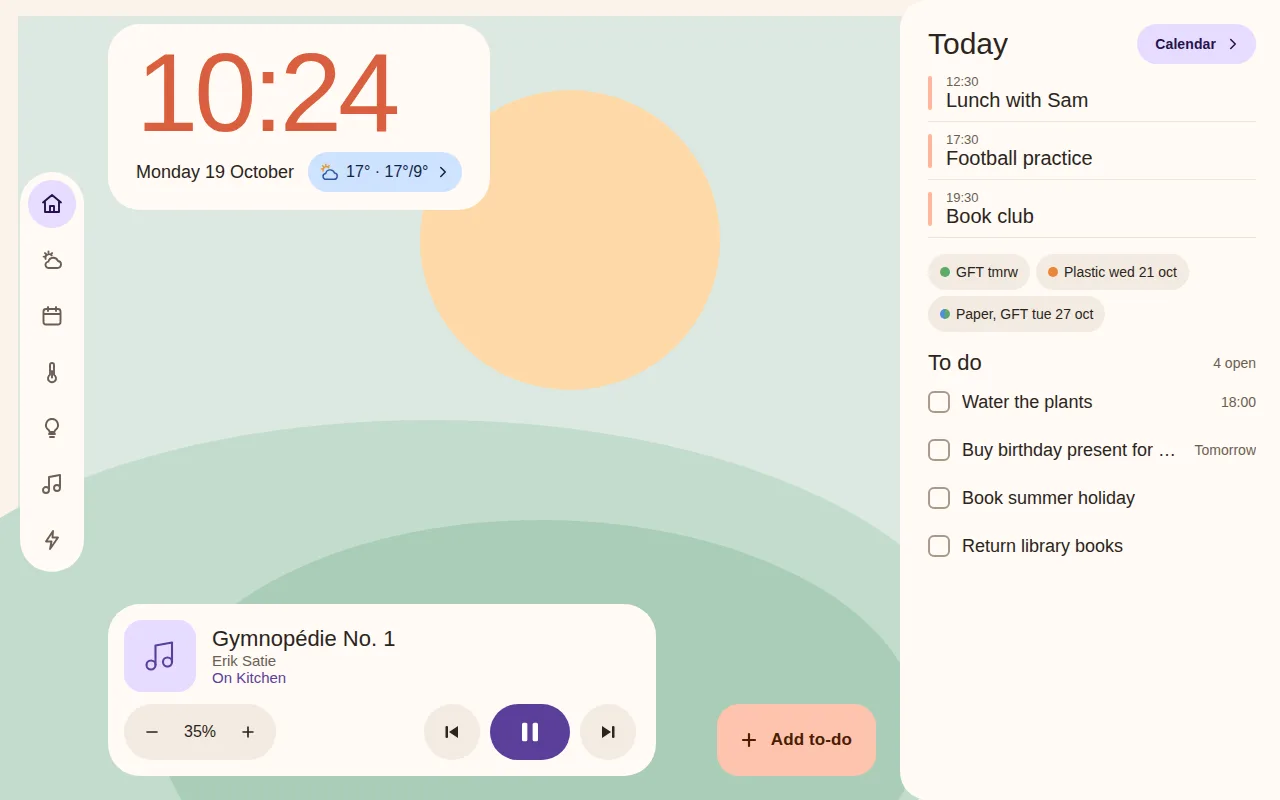
A Denver Frameo frame (PFF_1037) is a cheap screen that would make a good wall display, but it has a 1 GHz Cortex-A7, Android 6.0.1 and WebView 107. Standard Home Assistant dashboards are built for far more than that.
Next: What I didWhat I did
I wrote the dashboard around the frame's limits instead of trying to fit a normal web app on it:
Plain ES5 scripts in one scope, because this WebView has no ES modules. The page is bundled inside a small kiosk APK.
A single connection to Home Assistant using subscribe_entities. The DOM is touched only when a value changes; reconnects back off.
A manifest lists every file. The update is swapped in only when all of them downloaded, so a failed update leaves the running copy alone.
Tabs cover Home, Forecast, Calendar, Climate, Lights, Music, Recipes, EV and Settings, and the optional ones hide when their entities are not configured. Unit tests run against recorded Home Assistant responses. The kiosk derives from wesbos/photo-frame-dashboard (MIT).
Next: The resultThe result
The measurement that matters is the comparison: Home Assistant's own login page, on the same hardware, is 80% janky frames.
Measured on one device, a PFF_1037 frame.
Next: What I'd do nextWhat I'd do next
Measure more devices. The timings come from one frame; other cheap frames and tablets would show how far they carry.
Make setup easier. A first install still needs ADB. Once it is on the frame, page updates arrive over the air.